
Happy Horse AI Video Generator
Turn prompts and images into standout short videos with Happy Horse for ads, social content, product storytelling, and fast creative testing
Five Happy Horse video workflows people actually want
These are concrete, everyday Happy Horse use cases where a faster video workflow feels more useful than a slower, heavier process.

Create Product Videos From Simple Prompts
Use Happy Horse to generate short product clips for ads, landing pages, or social posts when you need a presentable concept fast without planning a full shoot first.

Turn Reference Images Into Motion Concepts
Upload a still image and use Happy Horse to explore movement, atmosphere, and presentation style when you want to pitch a stronger visual story from an image you already have.
Test Ad Ideas Before Committing More Budget
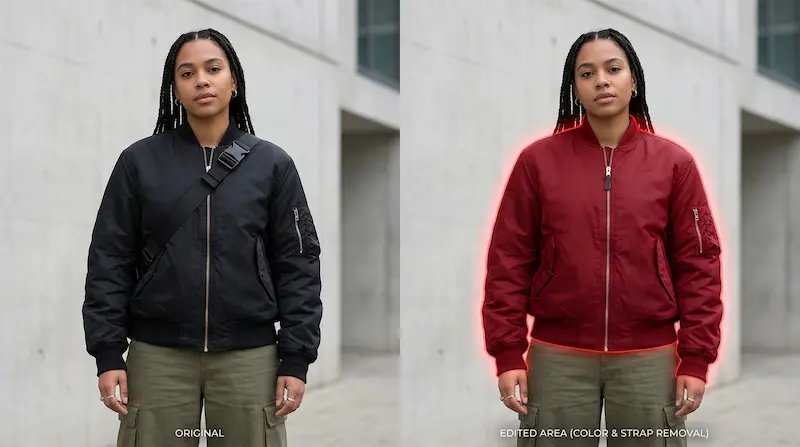
Generate several Happy Horse versions to compare angles, moods, and messaging styles early. This makes it easier to spot stronger directions before investing more in production.
Build Social Clips Faster
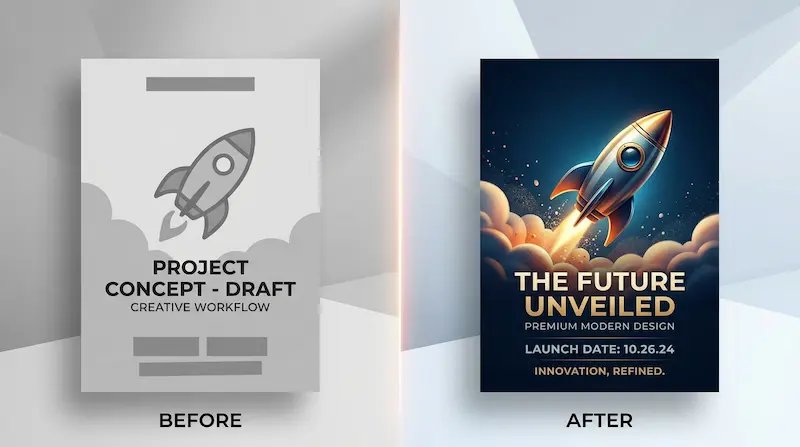
Use Happy Horse when you need short-form creative for launches, promos, or everyday posting. It helps you move from rough idea to shareable video with less back-and-forth.

Present Creative Directions More Clearly
Instead of describing a concept in abstract terms, use Happy Horse to show a short video draft that people can react to. That often makes team feedback faster and more useful.
What you can do with Happy Horse
These are the everyday Happy Horse workflows people care about when they want faster video creation without extra complexity.
Turn ideas into short video drafts
Use Happy Horse to move from a written idea to a visible clip quickly. This helps when you need to test a concept, show a direction, or get feedback before spending more time on production.
Bring still images to life more easily
Start from a reference image and use Happy Horse to add motion, scene energy, or a stronger presentation feel. It is a practical way to make static visuals more useful for social content and campaign work.
Explore multiple creative directions
Try different prompt angles, moods, or scene ideas without slowing everything down. Happy Horse is helpful when the goal is to compare options and find the version worth pushing further.
Create clips for real marketing use
Make short videos for product pages, social posts, ad concepts, or creative reviews. Happy Horse is especially useful when you need content that is fast to test and easy to present.
Reduce the cost of wrong turns
Instead of overpolishing the first idea, use Happy Horse to learn what actually works earlier. That can save time, feedback cycles, and creative guesswork.
Keep the workflow simple
Start with a prompt or image, generate versions, compare results, and export the strongest one. Happy Horse keeps the path from idea to video feeling clear and manageable.
How to use Happy Horse
This is the simpler path from rough idea to short video with Happy Horse.
Choose your starting point
Begin with a plain-English prompt or a reference image. Happy Horse is a practical way to explore a concept, turn a still image into motion, or build a short video draft without a heavy editing process.
Guide the video in simple language
Say what the camera should show, how the scene should move, and what mood you want. For example: slow push-in, warm light, product-centered framing, or a playful social style. This is where Happy Horse helps you stay focused on the result instead of the workflow.
Make versions you can actually use
Review the Happy Horse outputs, keep the one that fits your goal, and export it for social content, product pages, ads, concept testing, or internal presentations.
Why people use Happy Horse for faster video creation
- Get to a first draft faster
- Happy Horse helps you turn an idea into a visible clip quickly, which is useful when you need to explore concepts, pitch directions, or create content on a tighter timeline.
- Try more ideas before you commit
- Happy Horse makes it easier to compare different moods, scenes, or prompt directions early, so you can spot stronger ideas before investing more time or budget.
- Work from text or image inputs
- Start from a written concept or a reference image, depending on how clear your idea already is. That makes Happy Horse practical for creators, marketers, and teams with different workflows.
- Keep the process lighter
- You do not need a long production process just to test a concept. With Happy Horse, it is easier to move from idea to a reviewable clip and focus on what is worth improving.
Built for fast-moving creative teams
People use Happy Horse when they want a faster way to turn concepts into video drafts.

Mia S.
E-commerce Seller

Jordan L.
Social Media Manager

Kevin T.
Creative Consultant

Priya N.
Freelance Designer

Alex C.
Content Marketer

Dana R.
Small Business Owner
Happy Horse FAQ
Short answers about creating AI videos with Happy Horse.
What is Happy Horse?
Happy Horse is an AI video model and workflow for creating short videos from text prompts or images. It is useful when you want to move from idea to draft faster and explore more creative directions with less effort.
What is Happy Horse good for?
People use Happy Horse for social clips, product videos, ad concepts, visual tests, mood pieces, internal reviews, and early campaign drafts. It fits best when speed and iteration matter.
Can I use Happy Horse for text to video?
Yes. Happy Horse can start from a written prompt, which makes it useful when you want to describe a scene, style, camera feel, or product moment in plain English and turn that into a short video draft.
Can I use Happy Horse for image to video?
Yes. Happy Horse can also start from an image, which is helpful when you already have a still visual and want to add motion, atmosphere, or a stronger sense of presentation.
Why do people choose Happy Horse?
Many people choose Happy Horse because it makes video ideation feel more practical. It is a strong option when you want to test more ideas, compare creative directions, and reduce the cost of going too far on the wrong concept.
Is Happy Horse beginner friendly?
Yes. You do not need to be a video expert to get started with Happy Horse. A clear prompt or a good reference image is often enough to begin generating useful drafts.
What kinds of projects fit Happy Horse best?
Happy Horse is a strong fit for short ad concepts, product showcases, social media clips, visual idea testing, internal reviews, and other short-form projects where fast iteration matters.
Can I try Happy Horse for free?
Yes. You can start free, test a few Happy Horse generations, and see whether the workflow fits your creative process before deciding if you need more usage.
Pick a plan that fits how often you create
Start free, then scale when you are shipping more work.
Pick a plan that fits how often you create
Starter pack
$7.90
60 Credits
Email support
Private generation
Commercial use
One-time purchase, no expiry
No hidden fees • cancel anytime
Growth pack
$29.90
500 Credits
Email support
Private generation
Commercial use
One-time purchase, no expiry
No hidden fees • cancel anytime
Pro pack
$99.90
2000 Credits
Email support
Private generation
Commercial use
One-time purchase, no expiry
No hidden fees • cancel anytime
Start with Happy Horse and turn ideas into video faster
Turn a prompt or image into a short AI video with Happy Horse, explore more directions, and create clips you can actually use for content, ads, and creative testing.
No credit card required

